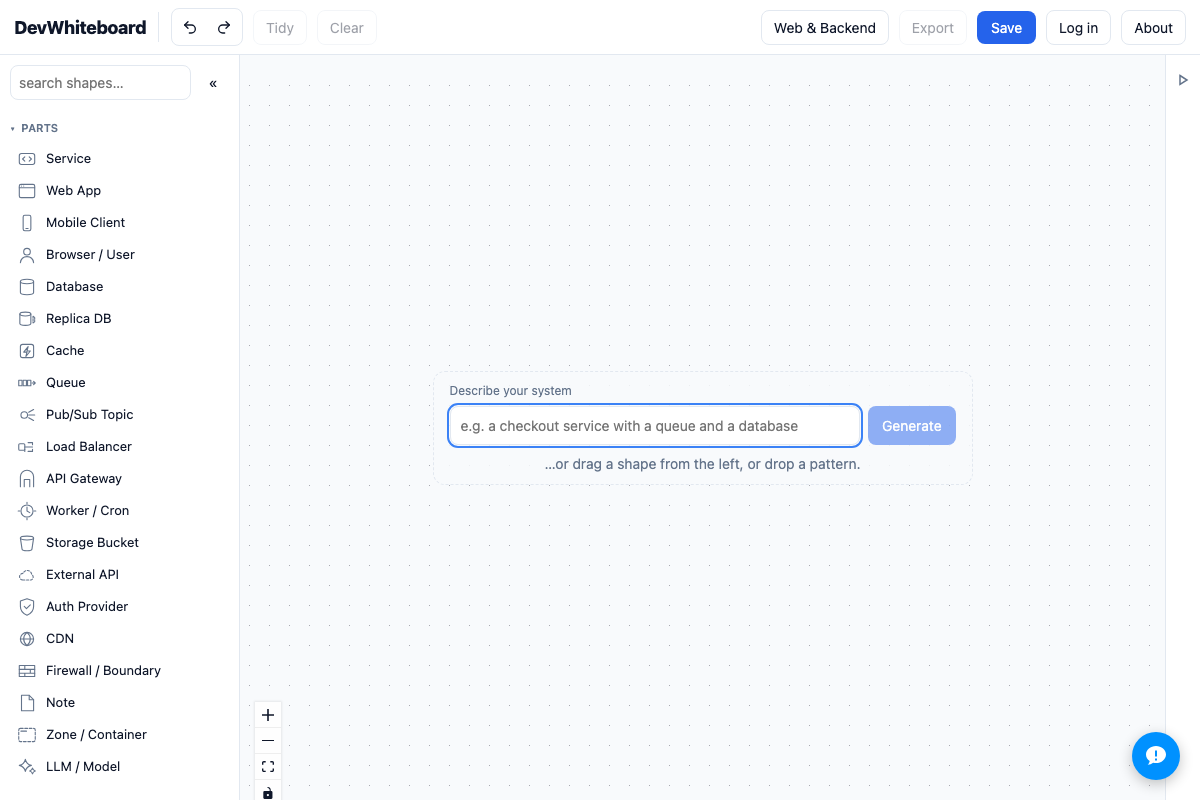
DevWhiteboard
Real-Time CRDT Whiteboard With an MCP Interface for Agents
Jul 2026
Yjs CRDT architecture whiteboard where agents edit the live canvas through a per-workspace-token MCP endpoint.
A collaborative software-architecture diagrammer on Yjs CRDTs where AI agents edit the same canvas as humans through an authenticated, per-workspace MCP endpoint.
Visit DevWhiteboardOverview
DevWhiteboard is a real-time collaborative diagramming tool for software architecture, with a palette of real infrastructure parts (services, queues, caches, load balancers, LLM nodes) and pre-wired patterns. Its defining property is that AI agents are first-class collaborators: an agent like Claude Code can analyze a codebase, draw its architecture on a fresh canvas, and return a shareable URL, while its edits stream live onto anyone who has that canvas open.
My Role
I designed, built, shipped, and run DevWhiteboard on my own. That covers the sync model, the MCP surface, the multi-tenant auth and billing, and production operations.
Architecture
- A Node/Express server with a Vite client. Yjs CRDTs handle sync, so concurrent edits from several humans, or a human and an agent, converge without conflicts.
- A diagram model with a clean API underneath the canvas, so a mouse and a structured agent command drive the same operations.
- An authenticated MCP endpoint at /mcp exposing get_palette, create_diagram, and update_diagram.
- Multi-tenant, private-by-default workspaces, with Stripe billing gating the account tier and an admin console for account and billing oversight.
Key Engineering Decisions
- CRDT sync with Yjs. Humans and agents edit the same diagram concurrently, and Yjs merges every client’s edits without conflicts.
- One diagram API for people and agents. Rather than a separate agent code path, the MCP tools and the canvas share the same primitives, so there is one behaviour to keep correct.
- Agent input mapped onto the human palette and layout rules. A plain-English description is resolved into the same parts a person would drag in, so agent output stays editable by hand.
- Stripe as the tier gate. Free is capped at 3 diagrams and Pro is unlimited.
Reliability & Security
- Per-workspace bearer tokens scope an agent to one workspace and nothing else.
- Workspaces stay private by default.
- User passwords are scrypt-hashed.